

ES

Work Sailease

Sailease: the marina software that makes every boater feel at home

CX strategyProduct & UX/UIAccessibilityOnboarding

A marina management platform and a boater app for lake marinas in the US. Owners run their whole business in one place, and every boater gets a personal, connected experience with their marina, with screens that feel obvious from the first tap.

ToolsFigmaIllustrator
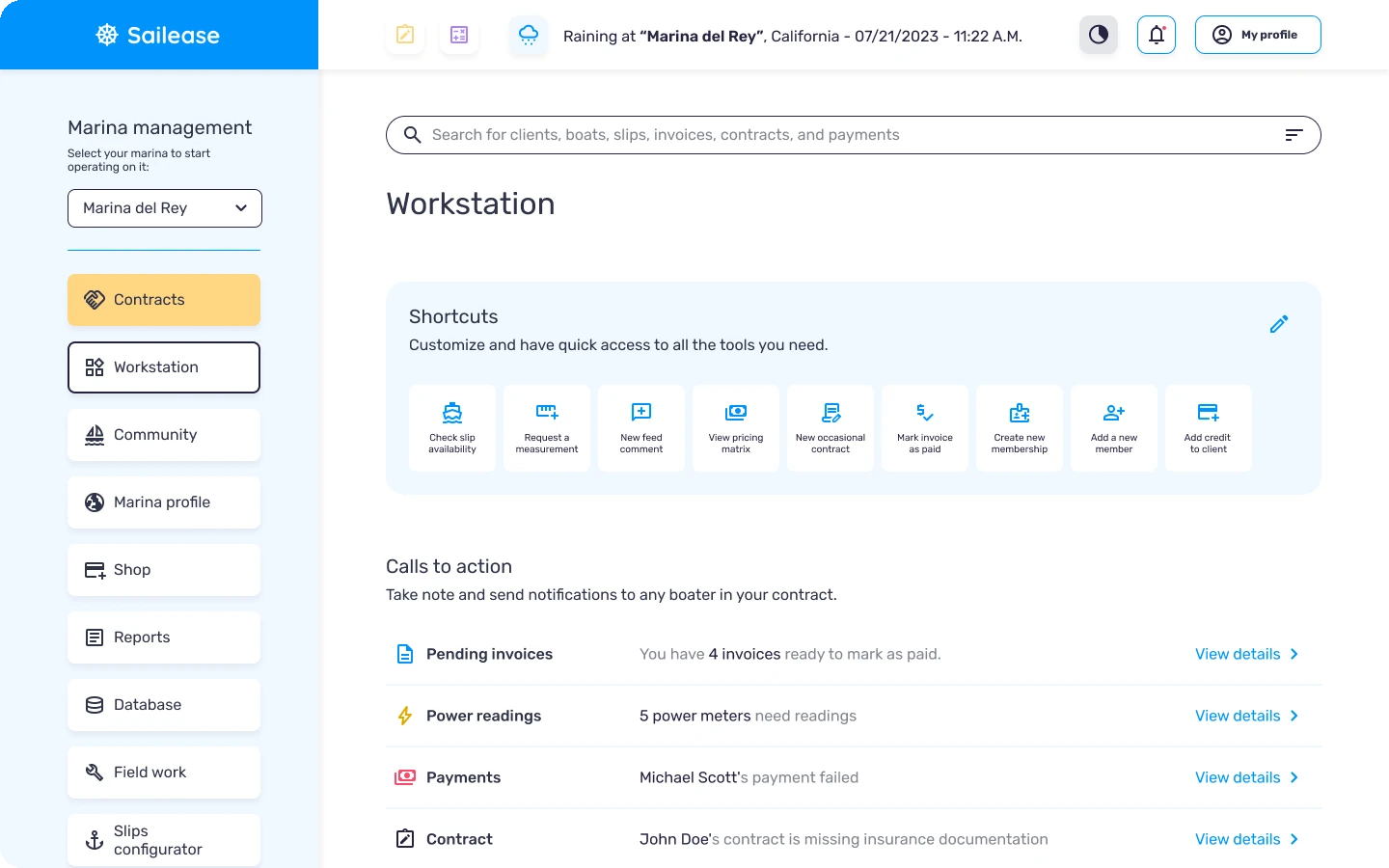
Sailease · Hero dash
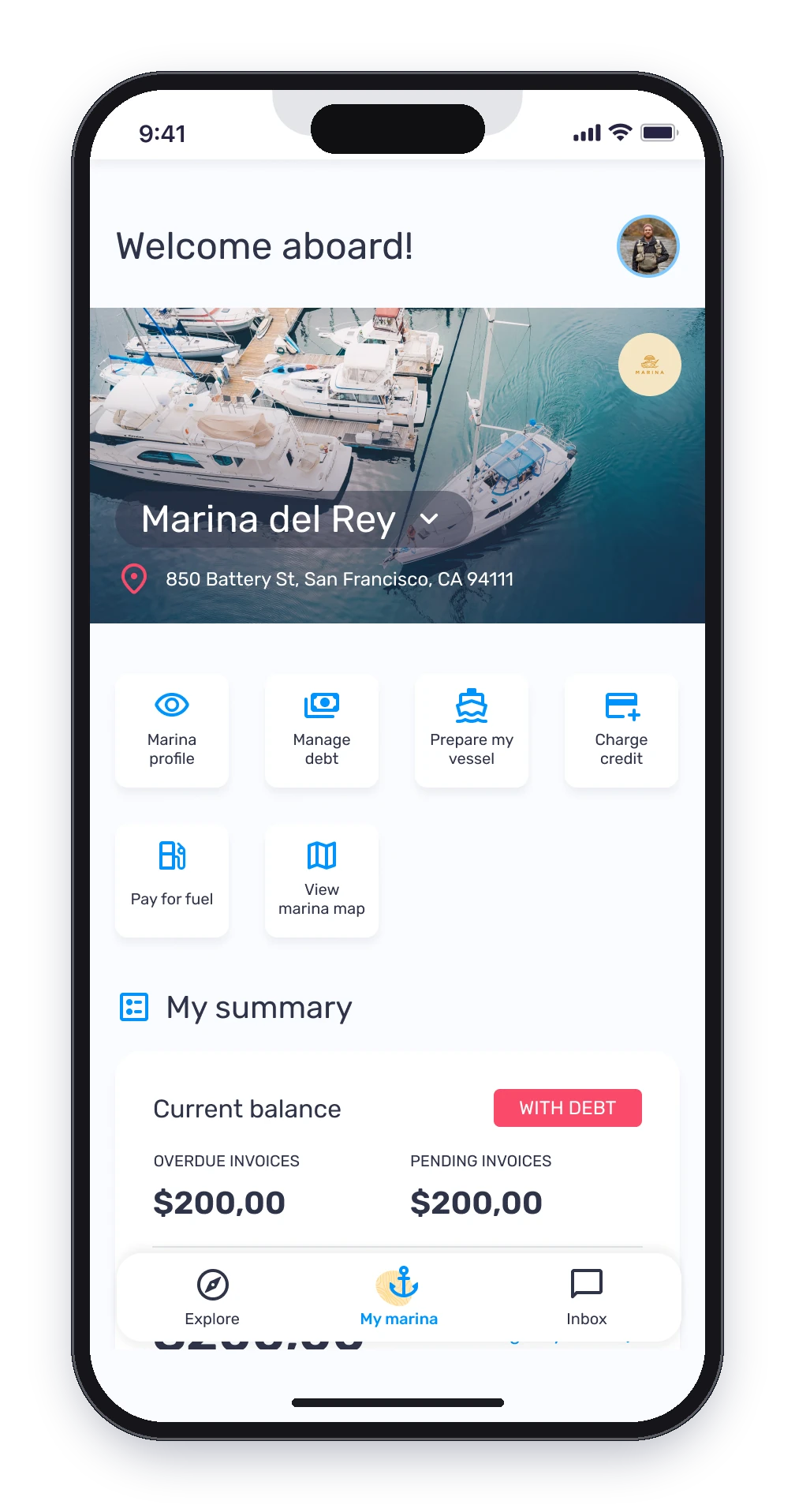
Sailease · App marina
Candela López portfolio · Sail lifebuoy
Candela López portfolio · Sail boat
Candela López portfolio · Sail cap
Role
CX & Product Designer
Scope
Owner workstation, boater app, onboarding, marketing tools
Market
Lake marinas, United States
Disciplines
Customer Experience · Product & UX/UI

The challenge

Two customers, one product: the marina owner and the boater.

Owners run the business from a desk between phone calls; boaters want to book a slip from the dock. I mapped both journeys, defined CX principles around clarity and trust, and designed a workstation and an app that speak the same language.

01 · The business challenge

Marinas were losing trust at every digital touchpoint

Lake marinas in the US live on long-term relationships: berth contracts, monthly invoices, power and water readings. Yet they ran on spreadsheets, phone calls and websites their own customers struggled to use — and most of those customers, owners and boaters alike, are over 50.

Lost bookings

Unclear berth availability made boaters give up, or pick up the phone instead of booking online.

Support overload

Every doubt about a contract, an invoice or a reading became a call or a visit to the office.

Fragile loyalty

Boaters felt disconnected from their marina and from the community of owners around it.

Key insightAge works as an undeclared disability.

Our users were not “users with disabilities” — they were real customers whose eyesight, memory and confidence with screens change over time. So accessibility stopped being a checklist and became the customer experience strategy.

02 · Who we serve

Two customers, one relationship

Sailease · screen joe
Joe, 60Marina owner · B2B customer

Decades of expertise in the maritime business, limited experience with software. He runs the marina from his desktop and prefers what he already knows.

I don’t understand how this new software works. I feel lost trying to navigate through all these functions.
What worries him
Making a mistake that affects his business, or falling behind in technology.
CX goal
Adopt the platform without training and without fear of breaking anything.

Sailease · screen jack
Jack, 45Boater · end customer

Keeps his boat at Joe’s marina. Active and on the move, he wants to know his boat is safe and feel part of the marina’s community.

I would like to receive notifications about important events at the marina and updates related to the care of my boat.
What worries him
Missing news, events or a problem with his boat while he is away.
CX goal
Know the status of his boat, pay and stay informed from anywhere.

If the marina owner doesn’t adopt the software, the boater never gets a good experience. B2B adoption and B2C satisfaction are the same problem.

03 · Research

What we heard from marinas and boaters

User interviewsSurveysCompetitive analysisEmpathy & journey mapsUsability testing
Pain point

Users over 50 feel frustrated by marina websites that aren’t intuitive, which complicates their booking process.

Pain point

Not finding clear berth availability creates stress and uncertainty when planning a trip.

Pain point

Technical errors and slow loading times make users waste time and patience while booking.

What works

Clear, detailed information gives boaters confidence when making a reservation.

Wish

A quick, easy booking: pick dates and get instant confirmation.

85%

User retention grows when people have more autonomy over their own service.

+40%

Dock reservations in marinas that offer an app compared with web-only booking.

Figures are sector references used as design hypotheses — not measured Sailease results.

04 · User journey maps

Two journeys, one relationship

One map per customer. Each stage pairs what they do and feel with the opportunity it opened in the product.

Sailease · screen av joeJoe, 60Marina owner · lake marina, USA
ScenarioMoves his marina from spreadsheets and old desktop software to Sailease before the season starts.
ExpectationsLearn it without training, receive boats and bill without mistakes.
Touchpoints
Actions
Pain points
Emotions
Opportunities
1Discover
Website, demo, sales call
Compares with his spreadsheets and old software
Fears new software will break what already works
Wary
Plain-language value and a demo built on his own marina
2Onboard
Onboarding wizard, slip configurator, sandbox
Draws docks and racks, sets prices by slip or boat size
Too many settings at once
Hesitant
Step by step, sandbox mode and an explicit “go live”
3Receive boats
Workstation, slip map, booking requests
Approves bookings, assigns slips, receives boats
Juggling calls, paper and memory
In control
Calls to action that prioritize the day; live slip availability
4Bill & collect
Invoices, power meters, payments
Reads meters, issues invoices, chases failed payments
Manual readings and late payments
Relieved
Automatic invoices, failed-payment alerts, personal shortcuts
5Engage boaters
Marina feed, inbox, deals
Posts news and events, sends alerts
Talking to boaters through scattered social media
Proud
Feed and inbox as a retention and upsell channel

05 · Customer journey

From uncertainty to confidence, one moment at a time

MomentBeforeWith SaileaseEmotional shift
Booking a berthCalls the office; no visible availability or prices.Real-time slip map and clear prices by slip or boat size.UncertaintyConfidence
Checking on the boatWaits for news and worries while away.Boat status, consumption and alerts in the app.WorryPeace of mind
PayingPaper invoices and unclear debt.Balance, invoices and several payment methods in one place.FrictionControl
Staying in the loopNews scattered across social media.Marina feed, live weather and an inbox for alerts.IsolationBelonging
Running the marina (owner)Spreadsheets, paper and memory.“Calls to action” that tell Joe what to do next.OverloadFocus

06 · Design principles

Accessibility as a customer experience strategy

Read it at a glance

Generous type scale, 16 px minimum body text and high-contrast color pairs across the dashboard and the app.

CX: less effort, fewer errors.
Words before icons

Every icon carries a label. No mystery buttons, no gestures to discover.

CX: nobody feels “too old for this”.
The system tells you what to do

“Calls to action” surface the next task: “You have 4 invoices ready to mark as paid”.

CX: focus instead of searching.
Safe to try

A sandbox mode before going live, and clear confirmations: “Are you sure? There is no return.”

CX: confidence to explore.
Progress you can see

A setup checklist and a completion bar guide owners while they configure their marina.

CX: a sense of achievement.
Digital meets paper

Printable maps, credentials and trailer stickers for those who still prefer paper.

CX: technology adapts to people.
07 · Marina owner experience

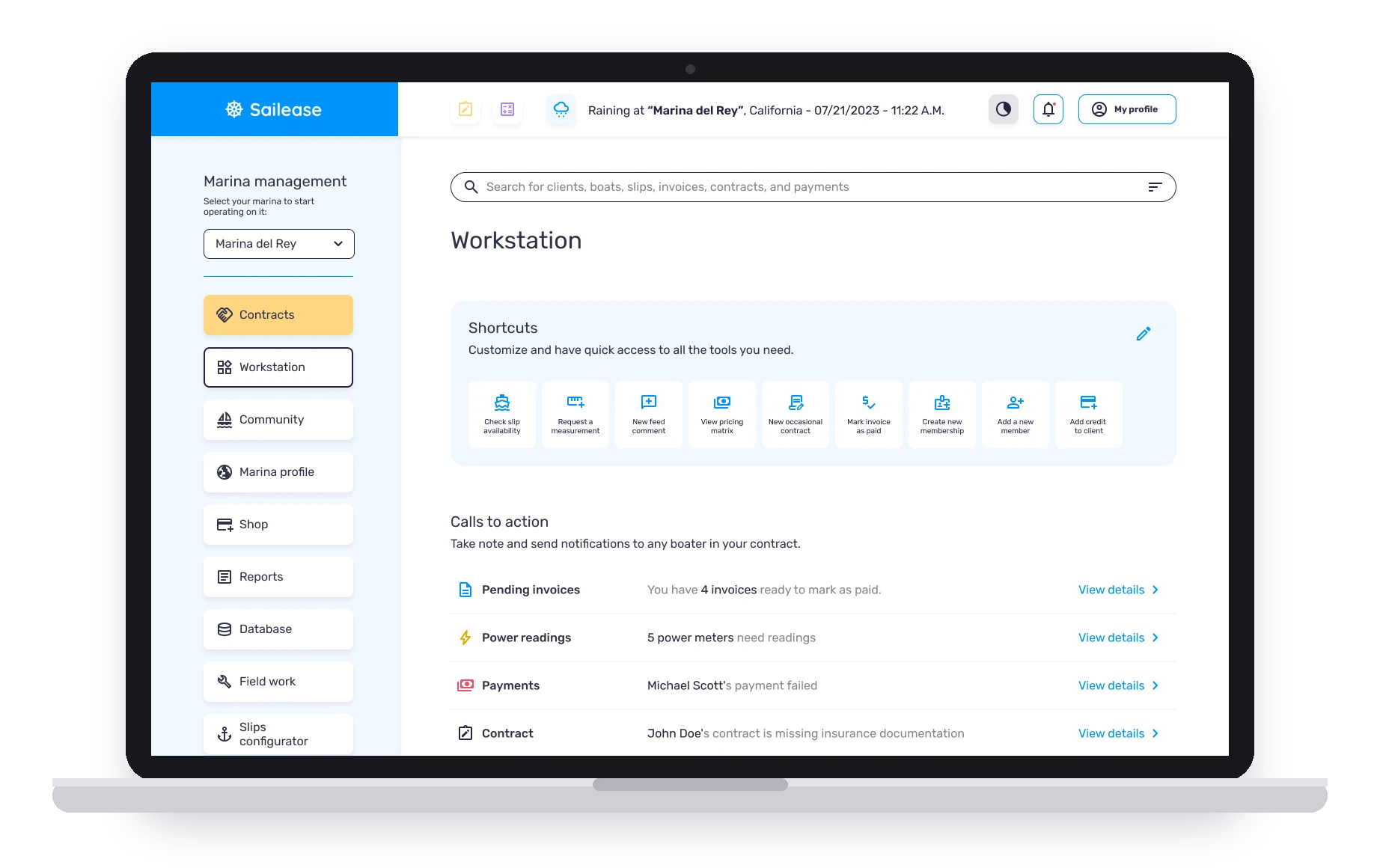
A workstation that tells Joe what to do next

Sailease · screen ws laptop
01Calls to action

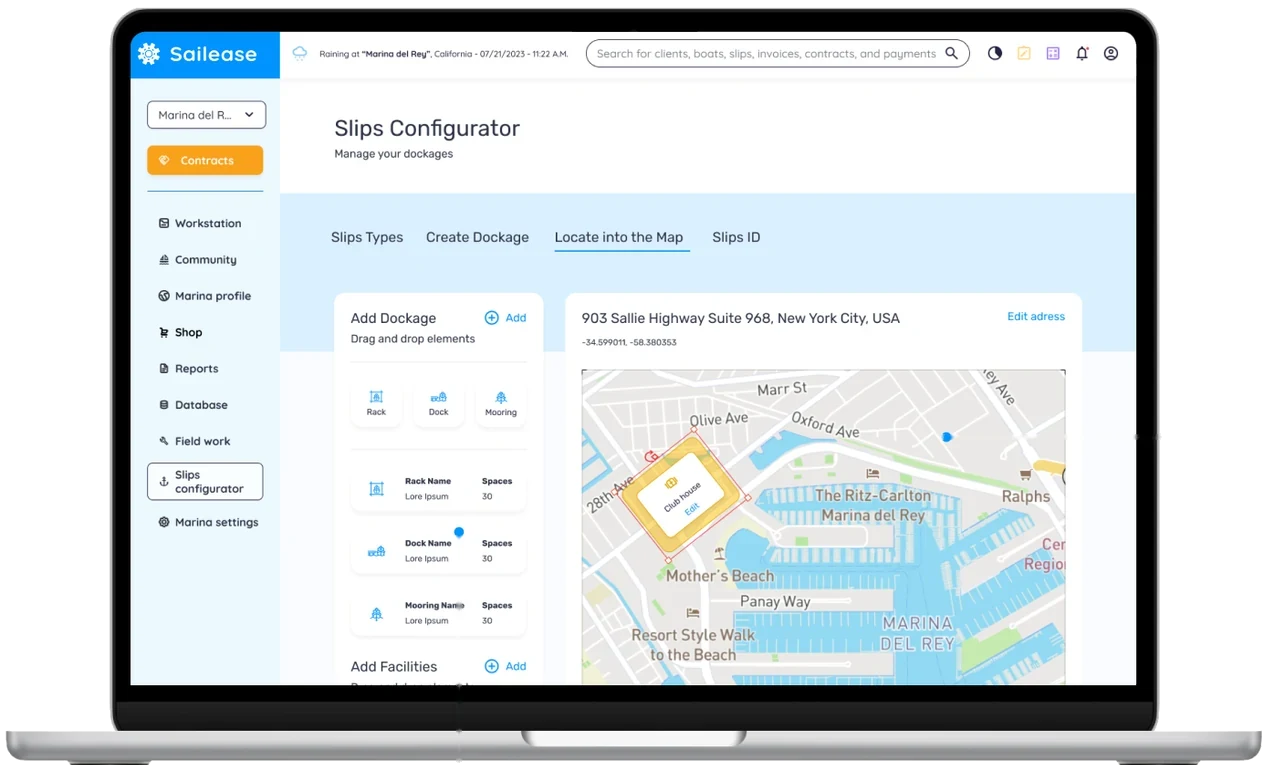
Pending invoices, power meters that need readings, a failed payment, a contract missing insurance: the day’s work, already prioritized.

02Personal shortcuts

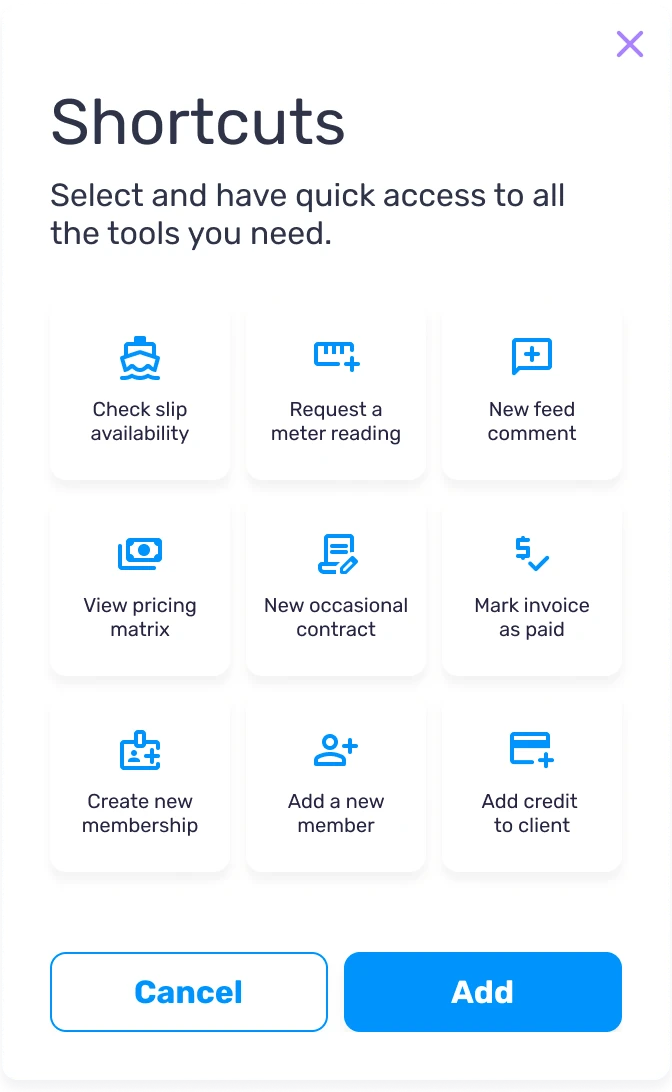
Owners pick the tools they use most — check availability, add credit, mark an invoice as paid — and keep them one click away.

03Live slip overview

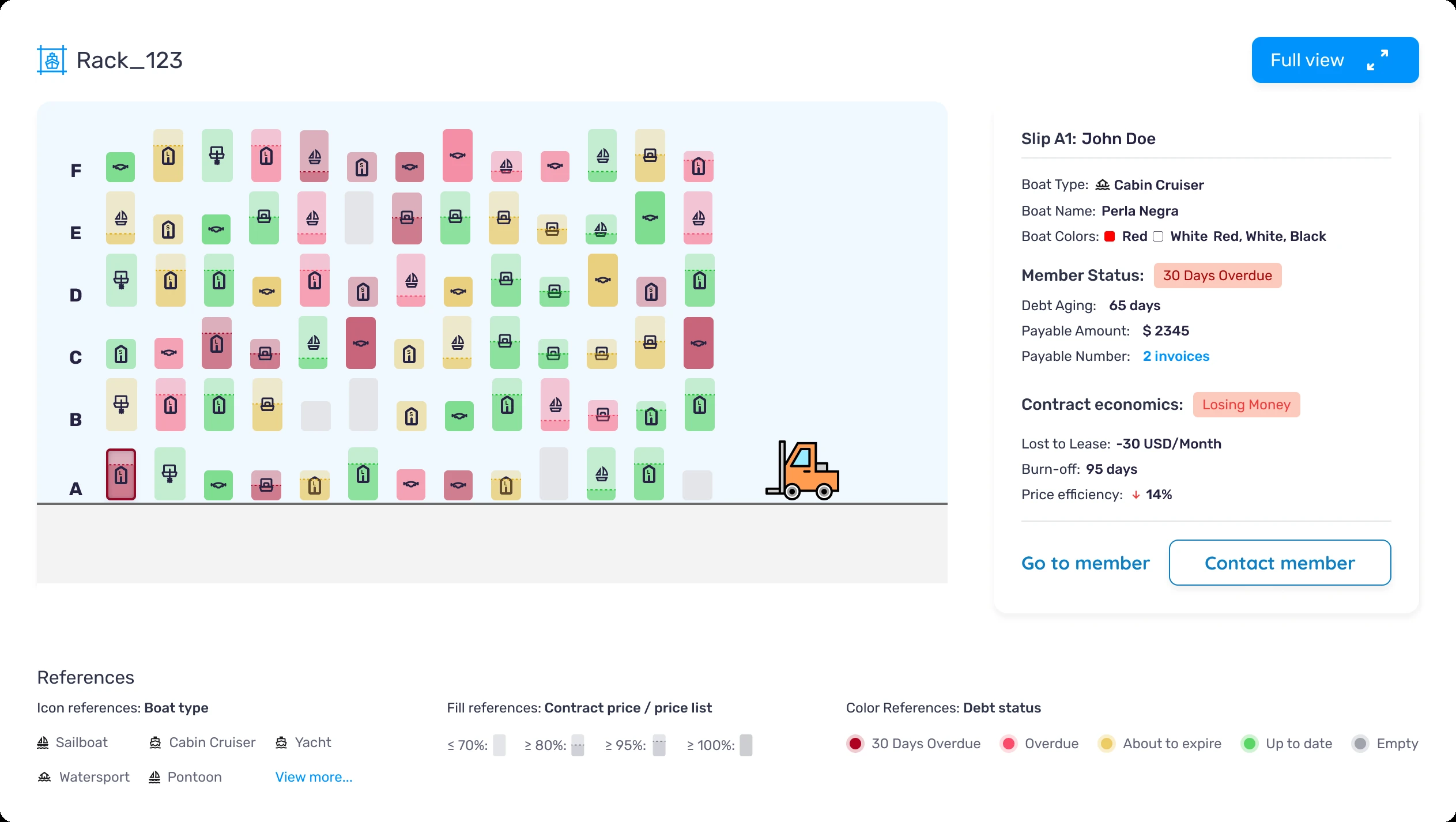
A map of wet and dry slips and the layout of every rack and dock, to manage availability in real time.
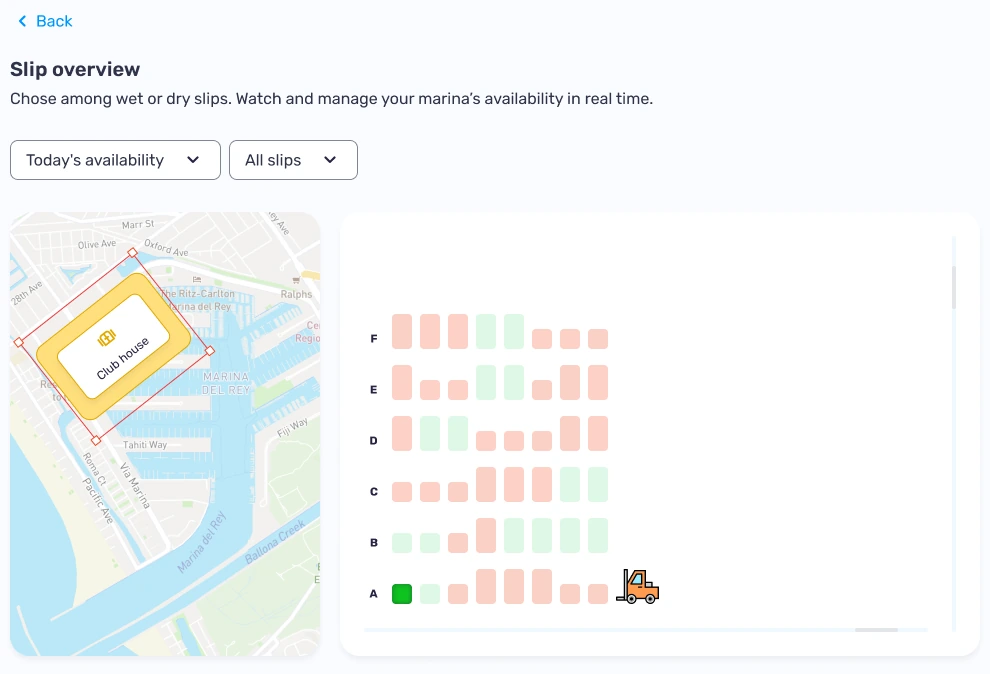
Overview of the map designed for each marina
Layout of every rack, slip or dock
Shortcuts so operators build their own workspace

CX impact: less searching, fewer support calls, faster adoption.

08 · Onboarding

Setting up a marina without fear of breaking anything

  1. 1Basic details
  2. 2Operational info
  3. 3Slip configurator
  4. 4Subscription
  5. 5Sandbox mode
  6. 6Go live
Sailease · screen onb laptop
01Build the marina visually

Drag and drop racks, docks, moorings and facilities onto the real map of the marina.

02Prices that make sense

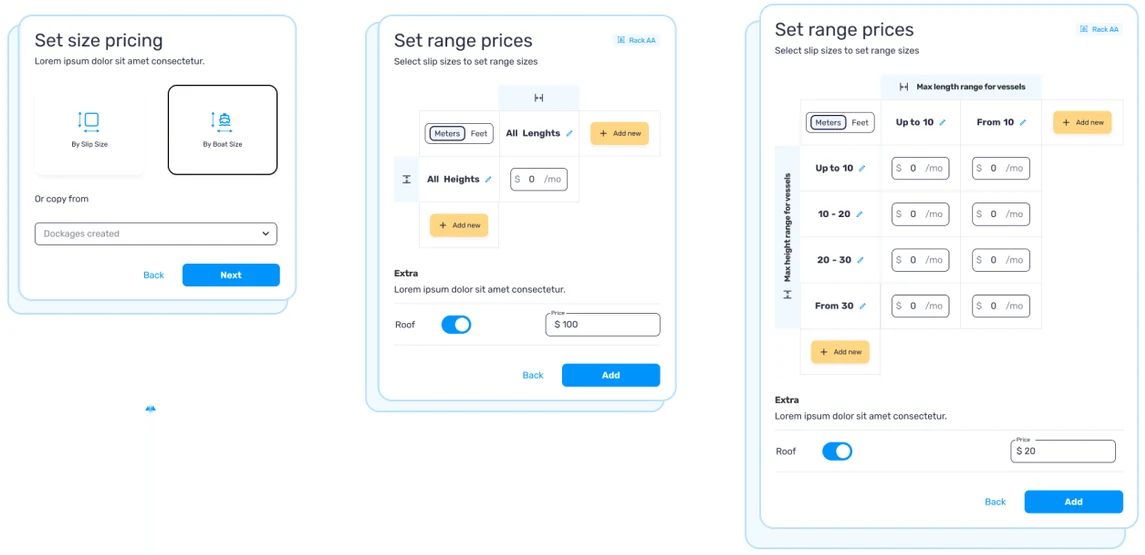
Set prices by slip size or by boat size, with extras such as a roof — the way marinas already think.

03Rehearse before going live

Everything can be tested in sandbox mode; going live asks for a clear, explicit confirmation.
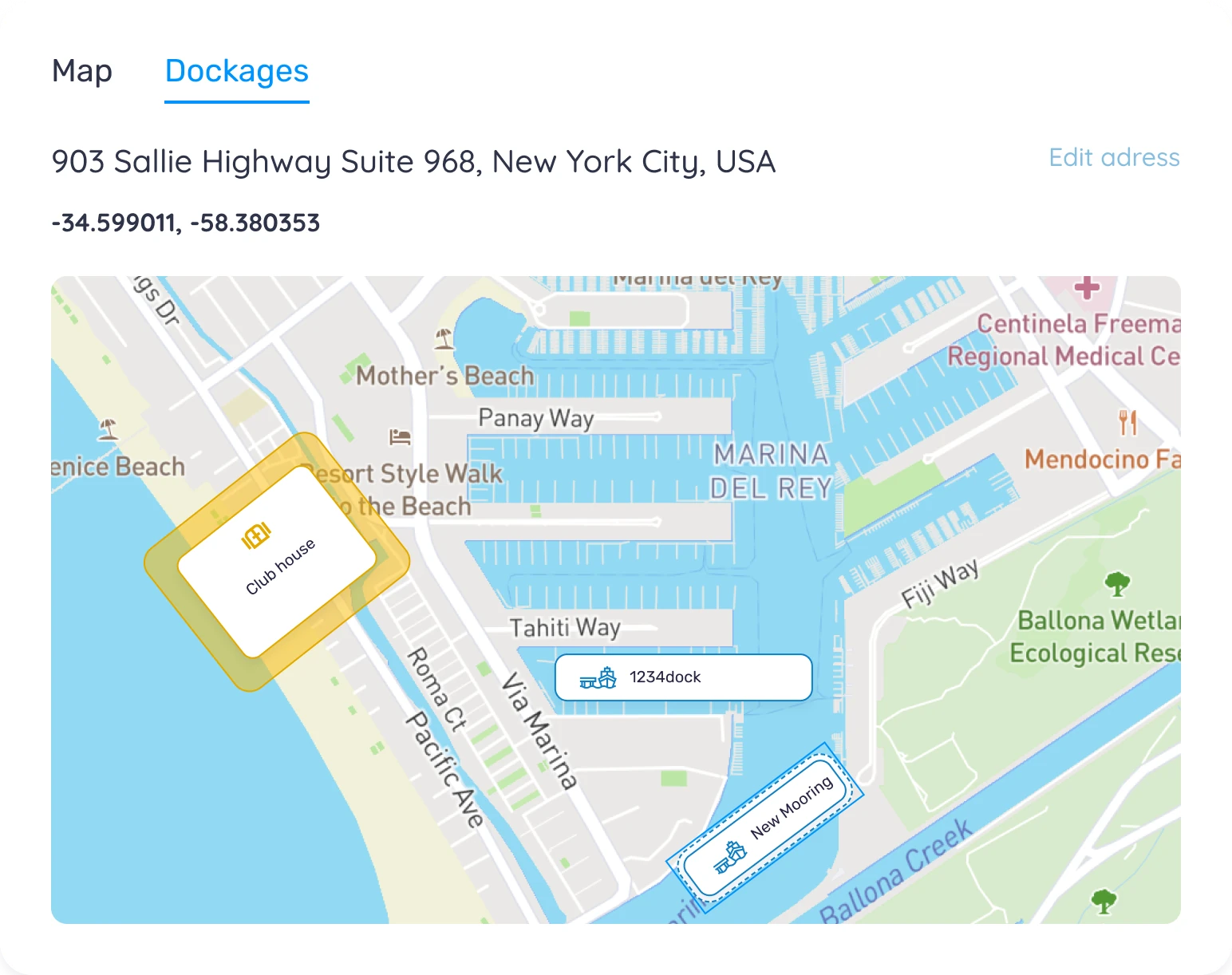
A tool to draw the marina map
A tool to configure slip prices

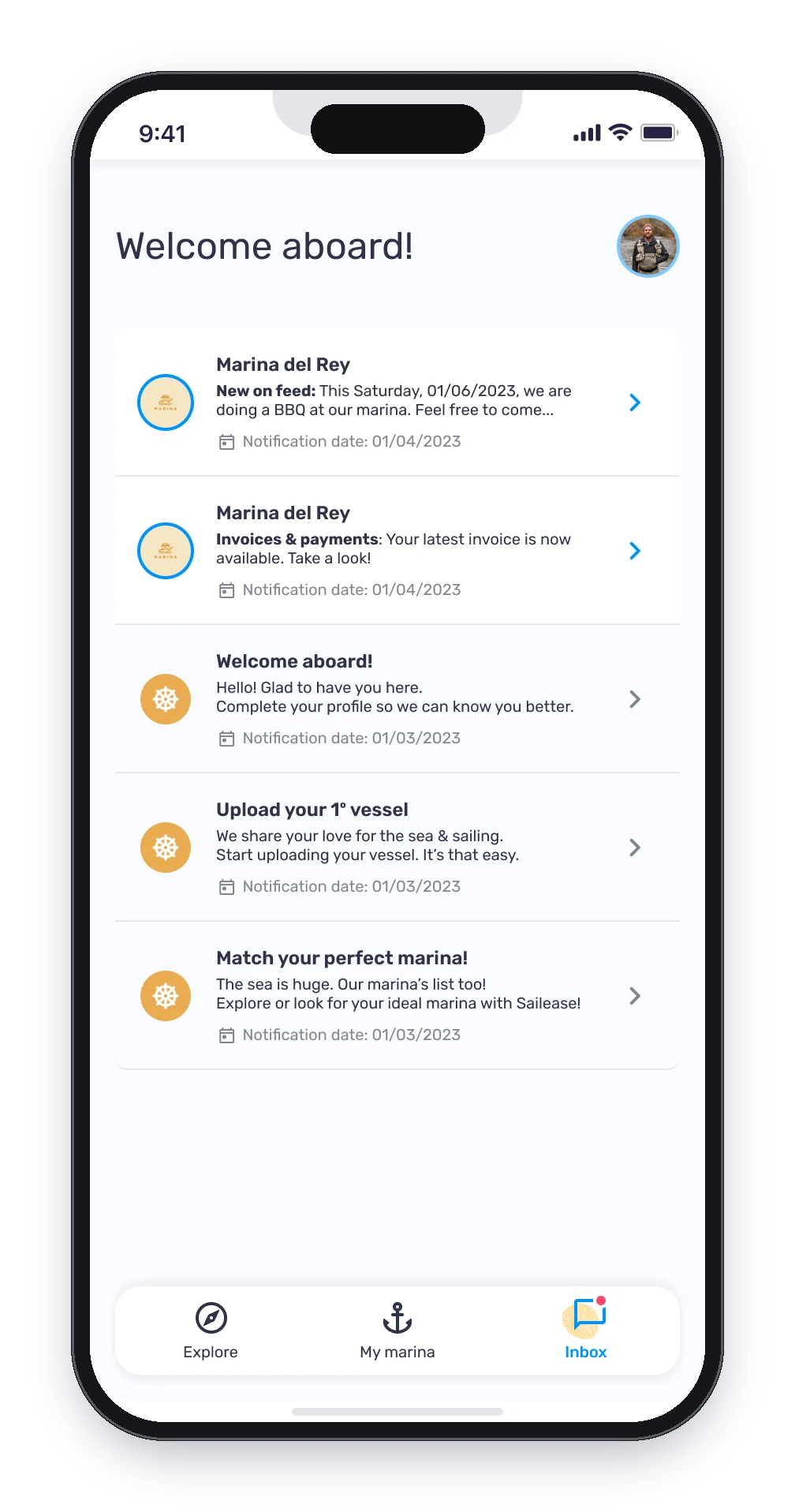
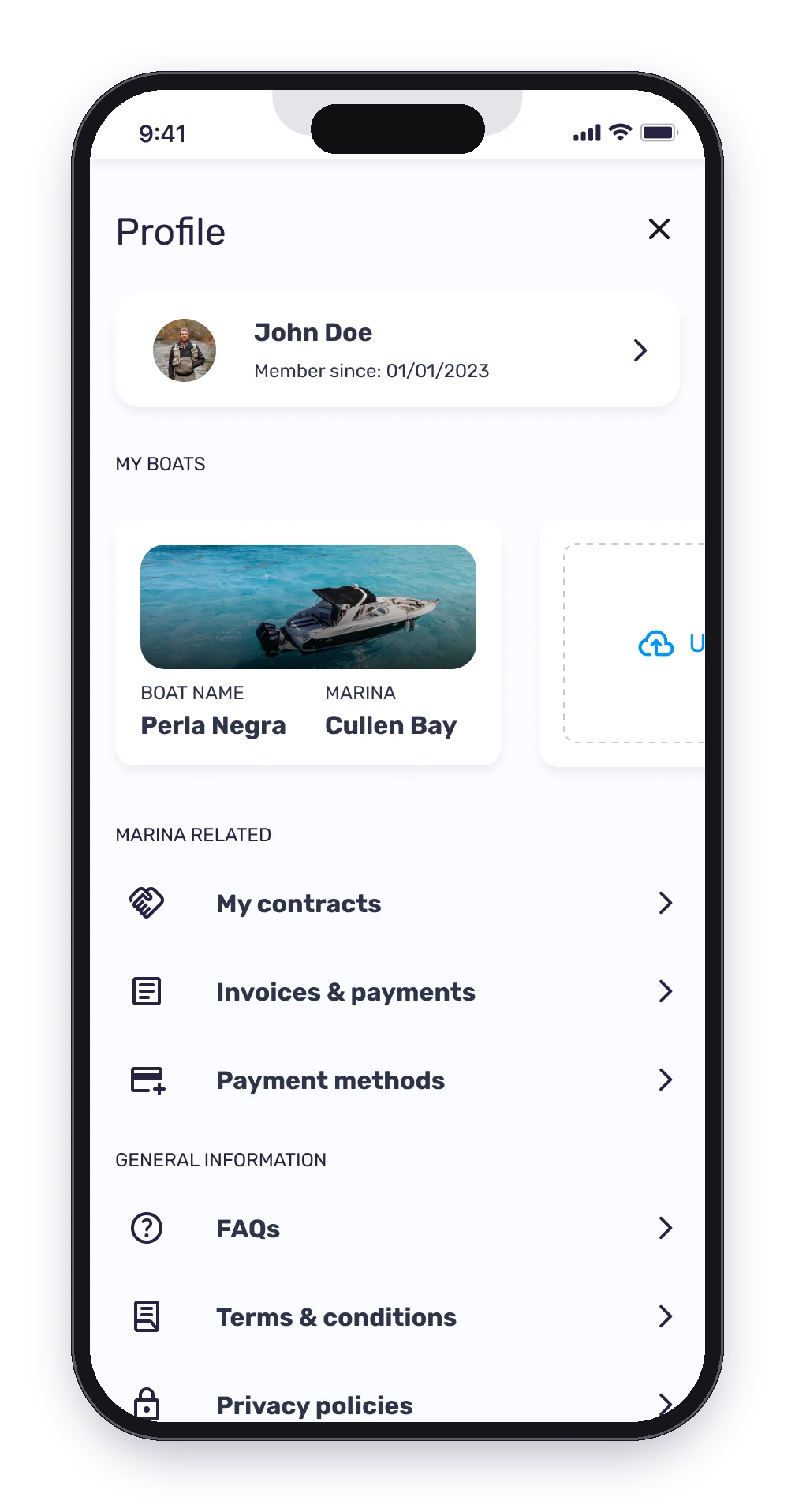
09 · Boater experience

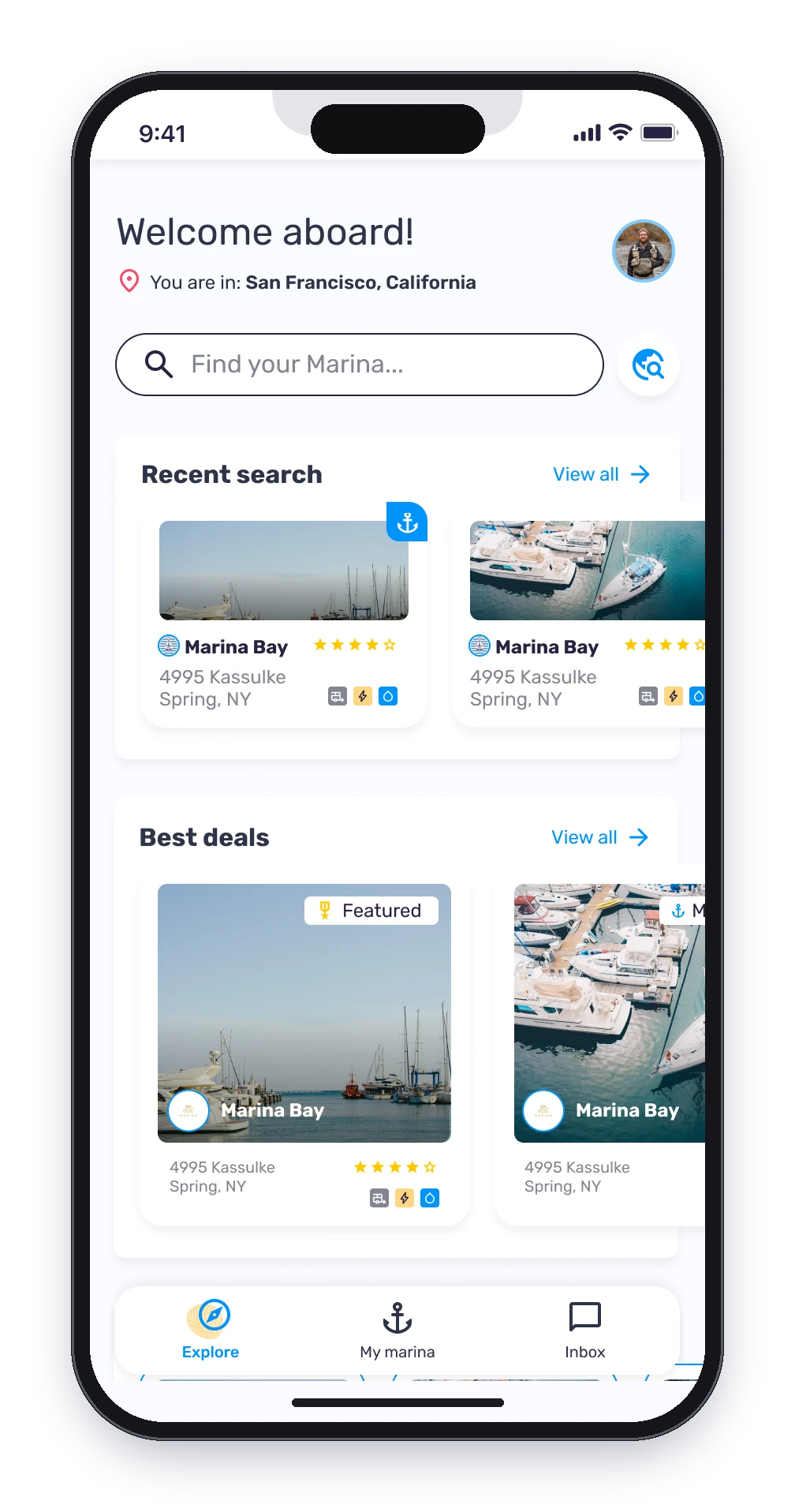
Everything about my boat, in my pocket

Explore
My Marina
Inbox
Profile & payments

10 · Marketing built in

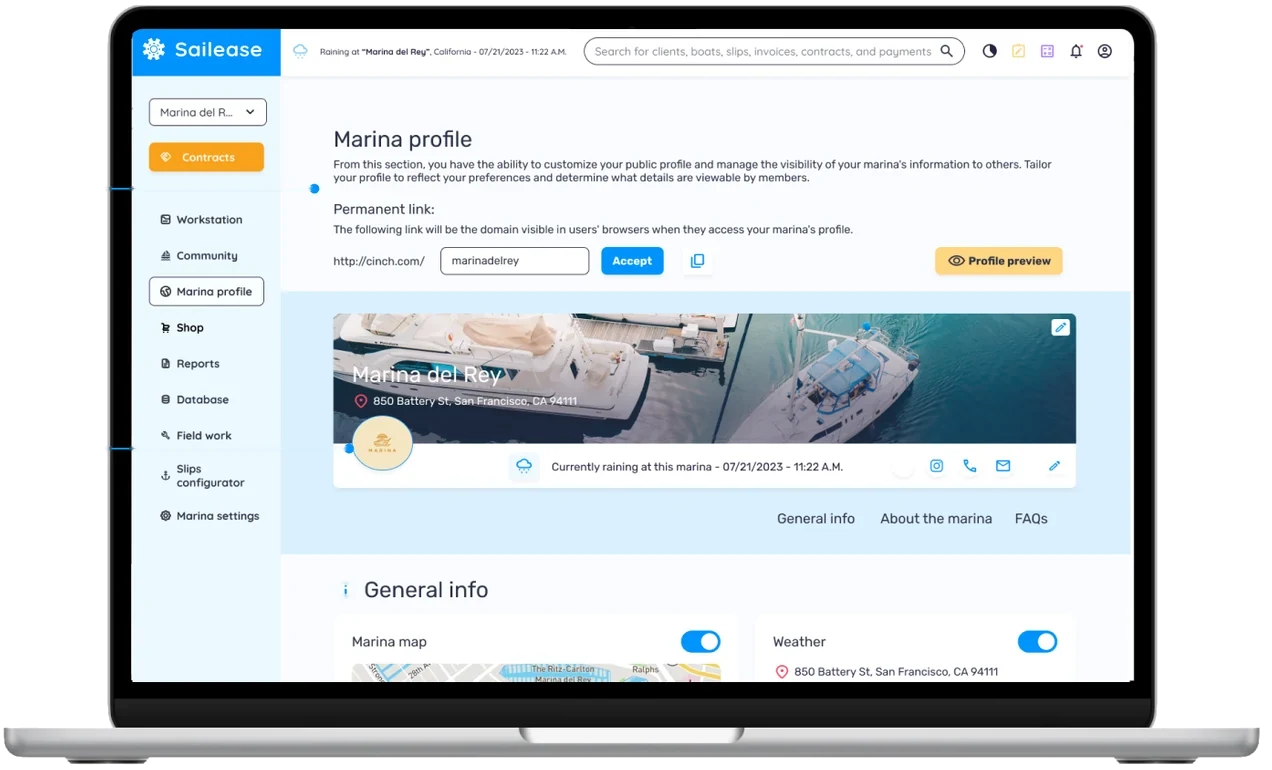
Every marina gets its own storefront

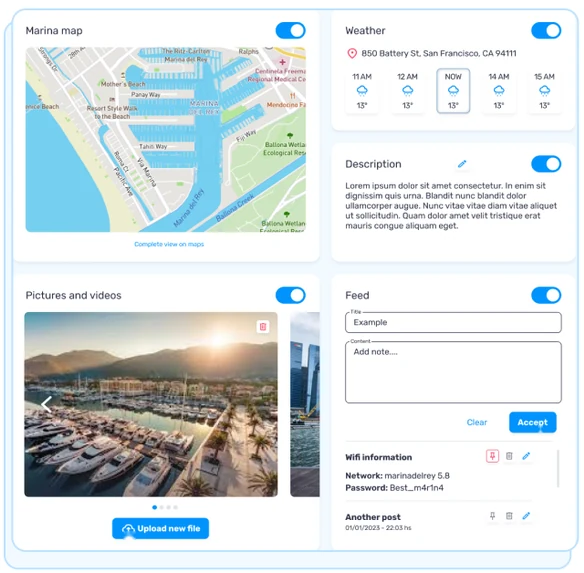
The same platform that serves customers also works as the marina’s marketing channel: it attracts new boaters, answers their questions before they call and keeps the community engaged.

A custom URL and public profile for each marina
Owners choose what the boater community sees: map, weather, photos and feed
1 · Acquisition
A public profile with its own URL

cinch.com/marinadelrey: shareable and searchable, owned by the marina.

2 · Discovery
Explore and best deals

Boaters looking for a berth find the marina and its offers inside the app.

3 · Pre-sale
Answers before the call

Live weather, photos, services, depths, capacity and FAQs reduce doubts.

4 · Conversion
From interest to contract online

Availability, prices, contract and payment in one flow, without a phone call.

5 · Engagement
An owned channel, not social media

The marina feed and inbox reach every boater directly.

6 · Loyalty
Community

Boaters connect with the marina and with each other, which strengthens renewals.

11 · Contexts & design system

Designed for where each customer actually is

Sailease · screen ctx desktop
Dashboard · operatorsDesktop

Marina owners told us their main point of contact is a desktop computer.
Sailease · screen ctx tablet
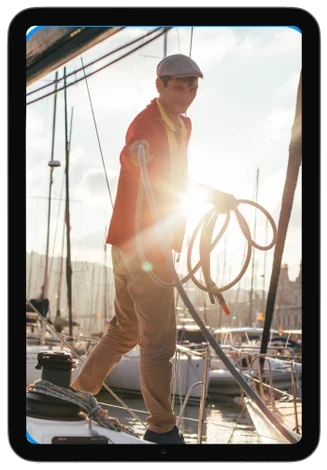
Dashboard · operatorsTablets

Operators take power and water readings on tablets and smartphones.
Sailease · screen ctx phone
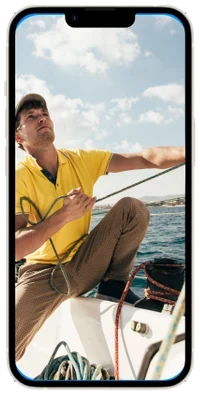
Boater appPhones

Boaters check their berth and pay invoices from the boat or on the move.

Consistency builds trust

Owners work from a desktop, operators take power and water readings on tablets, and boaters check their berth from the water. One design system — nautical color names, clear status tags and a generous type scale — keeps every screen predictable for people who don’t want to relearn the interface.

Nautical palette

  • Calm sea#80C9FD
  • Vainilla#FFEAC0
  • Strawberry#FFDFDF
  • Sea foam#FAFCFF
  • Stone#828591
  • Night#262341

12 · Expected impact

What this changes for the business

The design was built to move these customer and business indicators. They are the KPIs to track once marinas go live.

Adoption

Owners who complete the marina setup without assistance.

Support

Calls and office visits per month about contracts, invoices and readings.

Conversion

Berths booked online versus by phone.

Collections

Invoices paid on time and through digital payment methods.

Engagement

Boaters active in the app, the feed and the inbox each month.

Retention

Berth contracts renewed year over year.

My roleCX & Product Designer

CX and product design end to end at Ibisdev: research, personas and empathy maps, customer journey, information architecture, user and task flows, wireframes, UI, design system and usability testing.

Learning
For an older audience, accessibility is not a feature for a minority. It is the product — and the best marketing argument.
Tools

Figma · Miro · Illustrator · After Effects · Photoshop · ChatGPT (AI-assisted research synthesis and copy)