
ES

Work Profile Forms

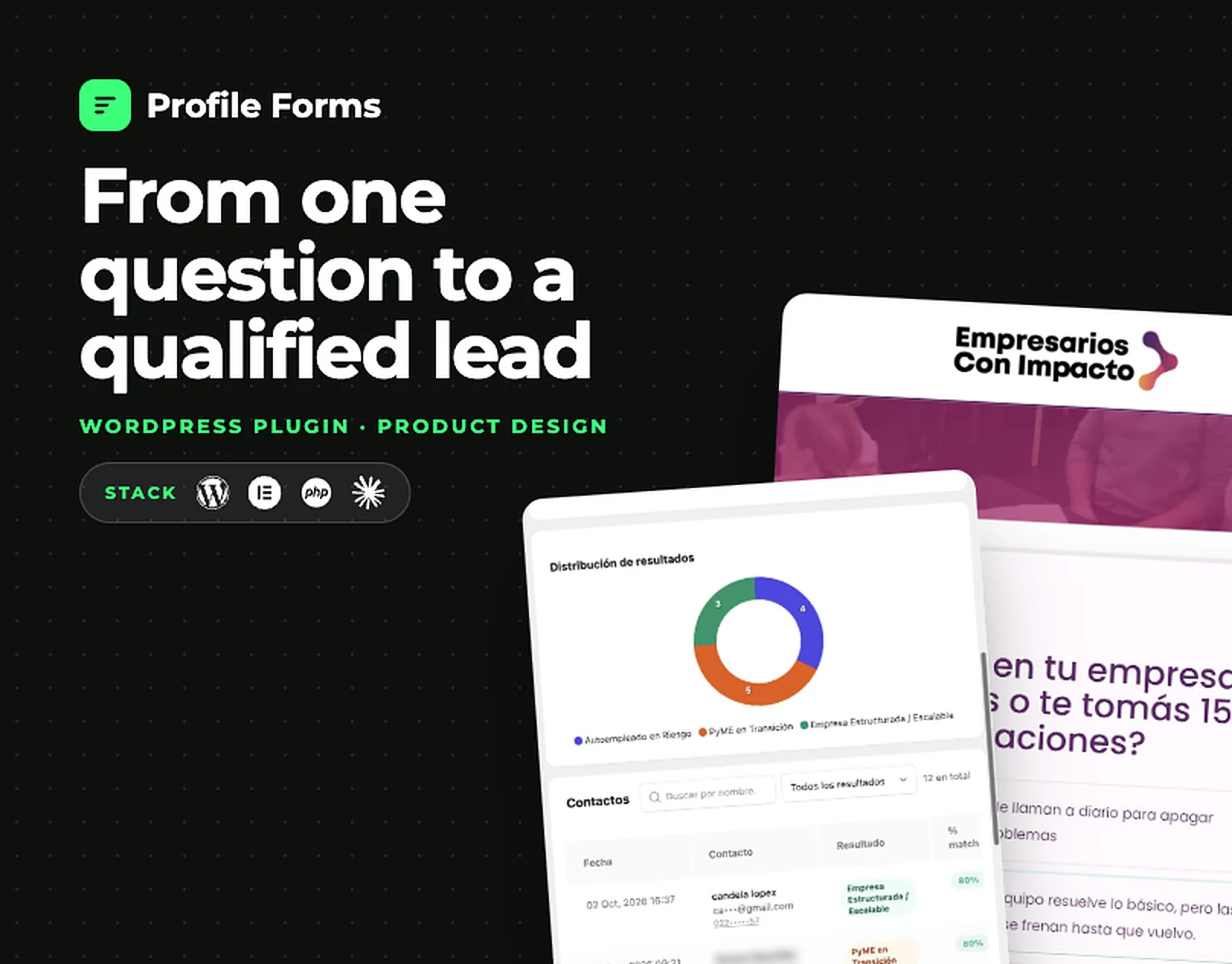
Profile Forms: from one question to a qualified lead

WordPress pluginProduct designUX writingBuilt with Claude

A WordPress plugin that turns a survey into a diagnosis: visitors answer a few questions and get their profile, and the team gets a qualified lead with context. Built for Empresarios con Impacto.

ToolsWordPressElementorPHPClaude
Candela López portfolio · Cover pf
Role
Product design, UX writing, development with Claude
Scope
Quiz builder, results, email flow, dashboard
Market
Empresarios con Impacto, Argentina
Disciplines
Product · Web · AI

The challenge

A form that gives something back.

Leads arrived with a name and an email and nothing else. I designed a short diagnostic that returns a profile to the visitor, an email chain that keeps the conversation going and a dashboard where the team sees who is ready to talk.

01 · The brief

Built for one client, designed for many.

Instead of a one-off landing form, I designed a plugin any brand can run: its own questions, its own result profiles, its own look and its own email. ECI became the first use case.

01
Question

One question per screen, progress bar, auto-advance on single choice.

02
Score

Each option votes for a profile. Points add up in the background.

03
Contact

Name, email and phone before the result. Each field optional or required.

04
Result

Winning profile, % match, final text, image and a highlighted notice.

05
Email

An on-brand email with the profile content, their name and an action button.

06
Metrics

Lead alert to the team, plus a dashboard with charts, contacts and CSV.

02 · Builder · Questions

Questions that classify

What sets it apart from a regular form: every answer option is assigned to a profile and votes for it. Single and multiple choice feed the score; text and file questions collect context without changing the result.

Result profiles
  • Self-employed at risk

    The business depends 100% on the owner being there.

  • SME in transition

    Sales and track record, but it grew in a disorganised way.

  • Structured / scalable

    Processes and autonomy; the challenge is to scale.

The match threshold

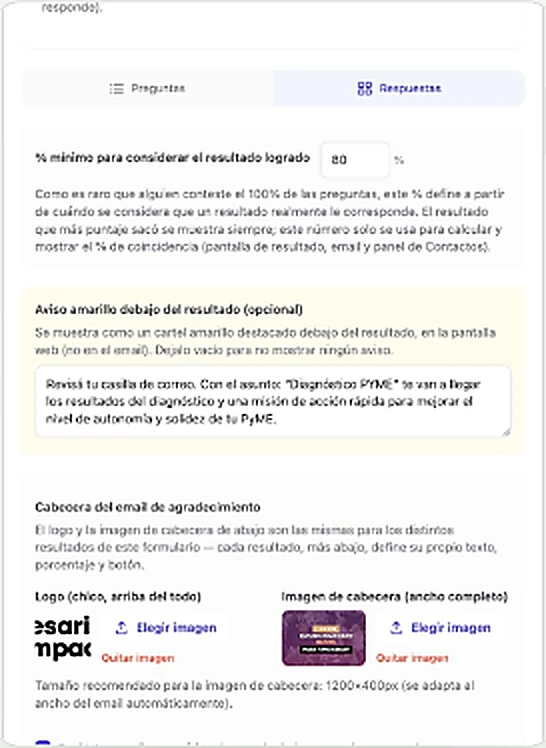
The profile with the most points wins. The minimum % (80 in this case) does not change the winner: it only calibrates the match shown on screen, in the email and in the dashboard, so 4 of 5 aligned answers reads as a believable 80%.
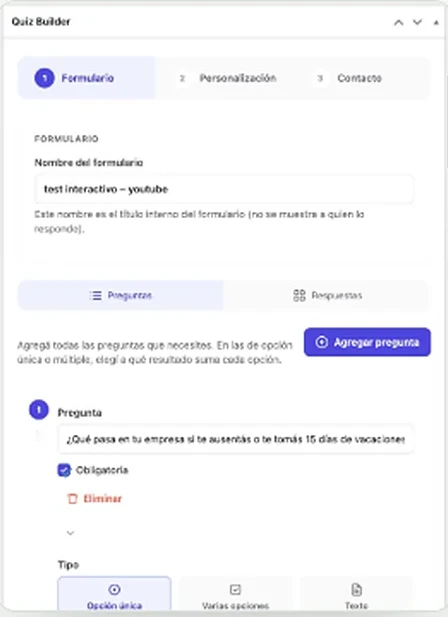
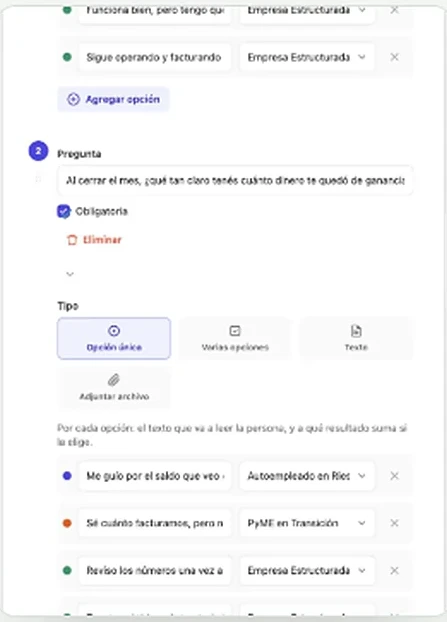
<b>Questions tab.</b> Add, drag to reorder, mark as required, pick one of four types.
Questions tab. Add, drag to reorder, mark as required, pick one of four types.
<b>Option → profile.</b> Each answer has its text and a selector with the profile it adds to, colour-coded.
Option → profile. Each answer has its text and a selector with the profile it adds to, colour-coded.

03 · Builder · Results

Each profile, its own story and its own email

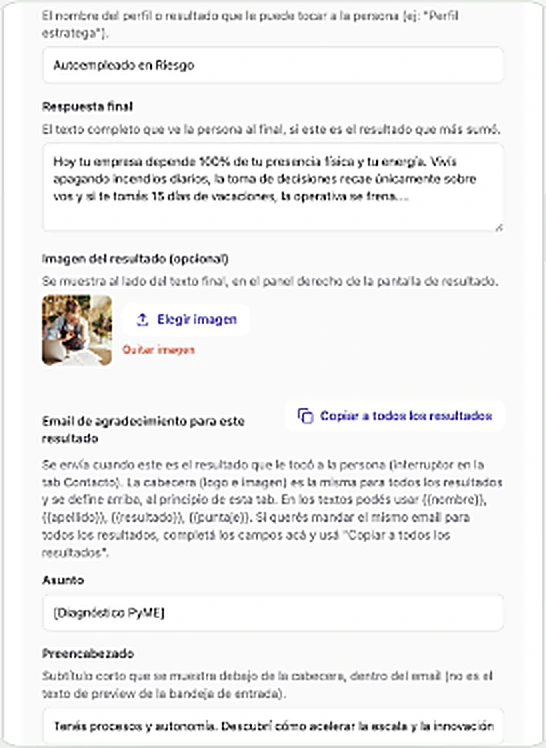
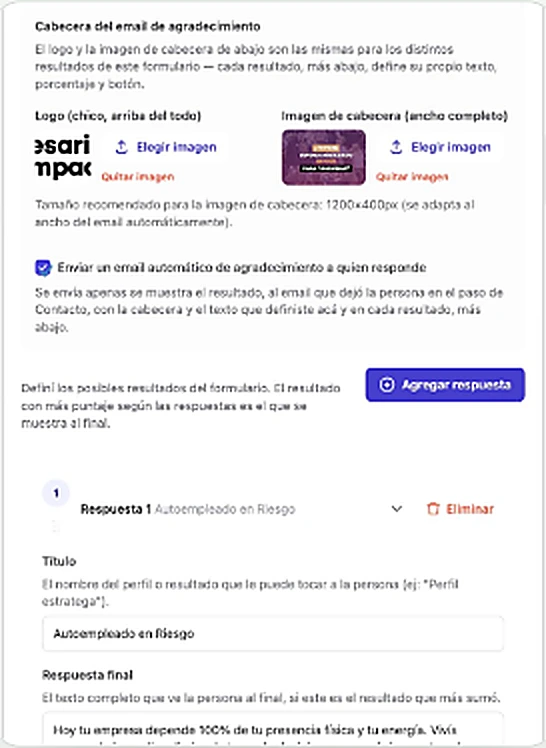
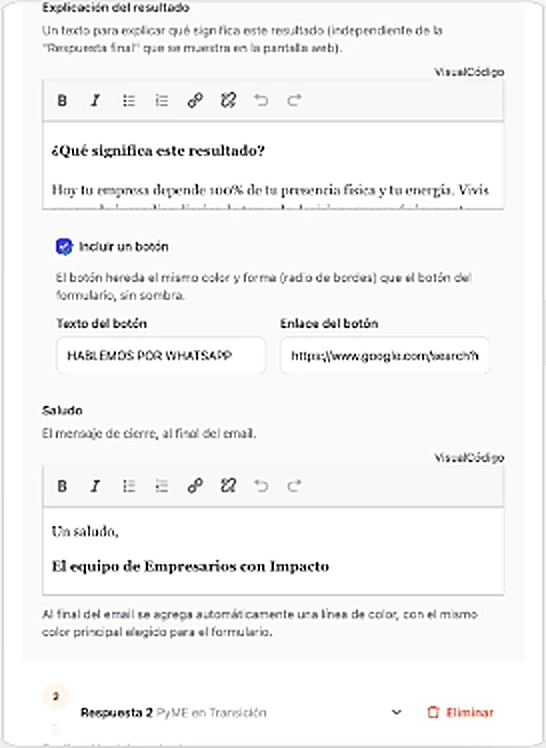
The Results tab sets the possible outcomes and the general rules: match threshold, a highlighted notice only shown on the web, and the email header shared by every profile. The email is built in the same place as the result, without leaving WordPress or connecting another tool.

<b>General rules.</b> Minimum % match, highlighted notice, logo and email header.
General rules. Minimum % match, highlighted notice, logo and email header.
<b>A profile card.</b> Title, final on-screen answer and optional image.
A profile card. Title, final on-screen answer and optional image.
<b>Header and switch.</b> Logo, a 1200×400 header image and the automatic thank-you email toggle.
Header and switch. Logo, a 1200×400 header image and the automatic thank-you email toggle.
<b>Content.</b> Visual or code editor, button text and link, closing line.
Content. Visual or code editor, button text and link, closing line.
{{ }}

Texts accept {{nombre}}, {{apellido}}, {{resultado}} and {{puntaje}}. “Copy to all results” reuses one email across every profile in one click.
04 · Builder · Customisation

It adapts to the brand, not the other way round

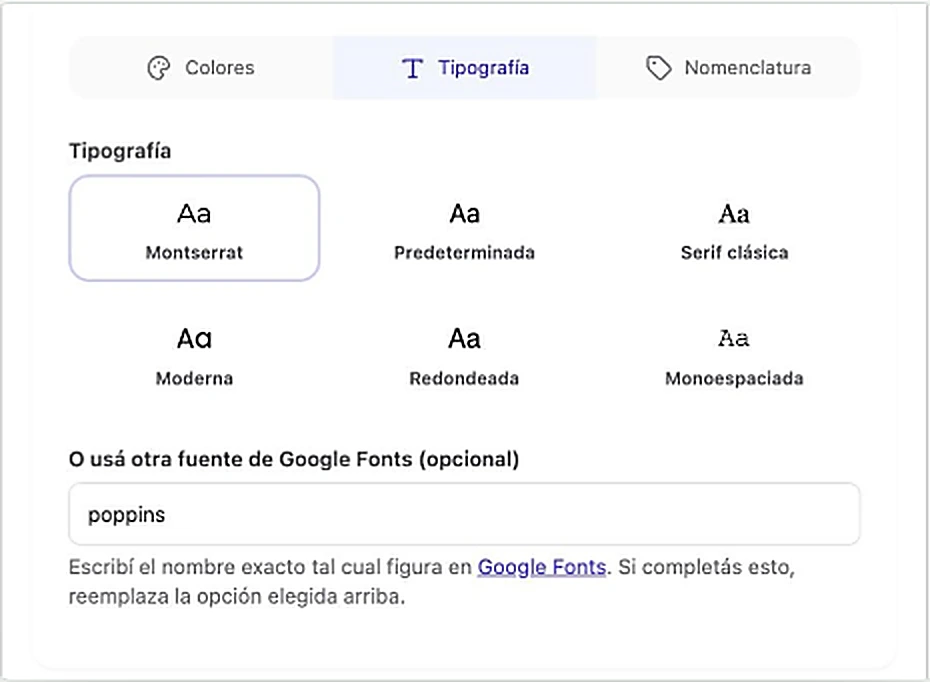
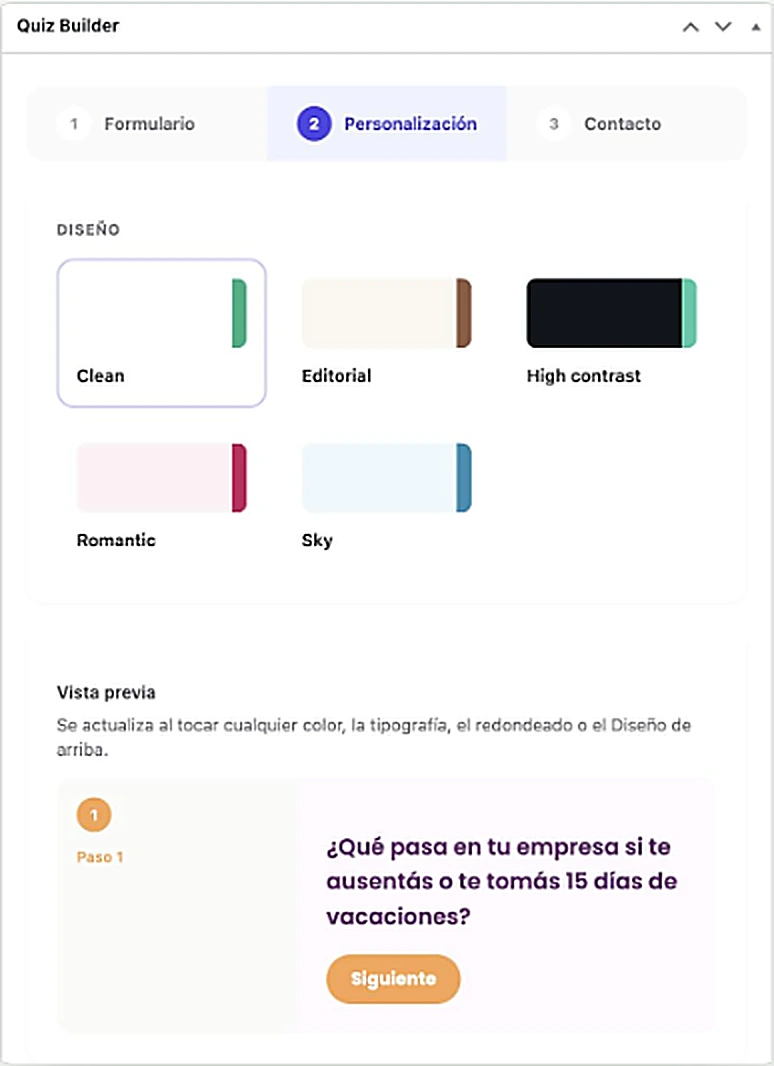
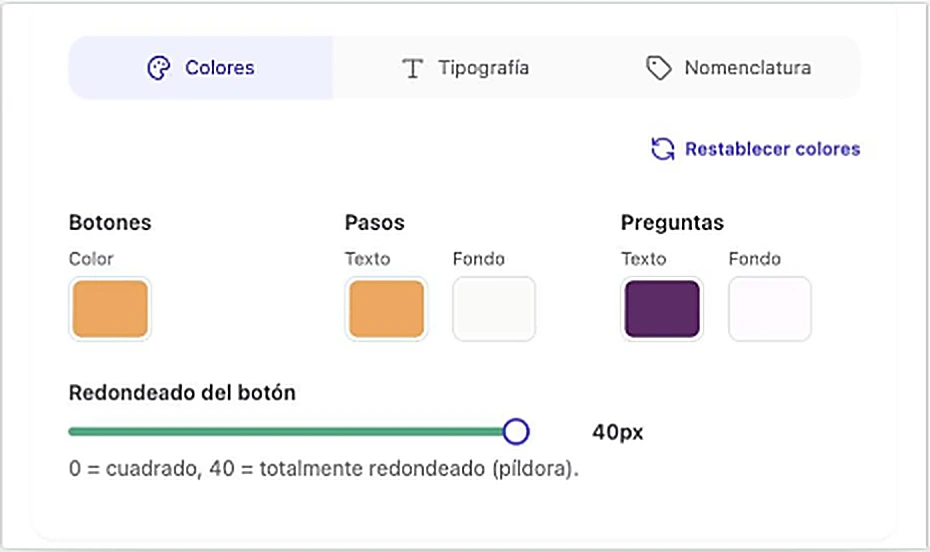
Five starting designs plus colour, typography, corner radius and naming controls, with a live preview of the first real question. Whatever is set here also styles the email: the button takes the form’s colour and radius, and the email closes with a line in the main colour.

<b>Presets and preview.</b> Clean, Editorial, High contrast, Romantic and Sky.
Presets and preview. Clean, Editorial, High contrast, Romantic and Sky.
<b>Colours.</b> Buttons, steps and questions (text and background), radius from 0 to 40 px.
Colours. Buttons, steps and questions (text and background), radius from 0 to 40 px.
<b>Typography.</b> Six preset families or any Google Font. ECI uses Poppins, the same as its landing.
Typography. Six preset families or any Google Font. ECI uses Poppins, the same as its landing.
Naming

Rename how each question (“Question 1 of 5”) and each step (“Step 1”) is called, so every client speaks its own language: “Stage”, “Challenge”, “Module”.
05 · Builder · Contact

The moment of exchange

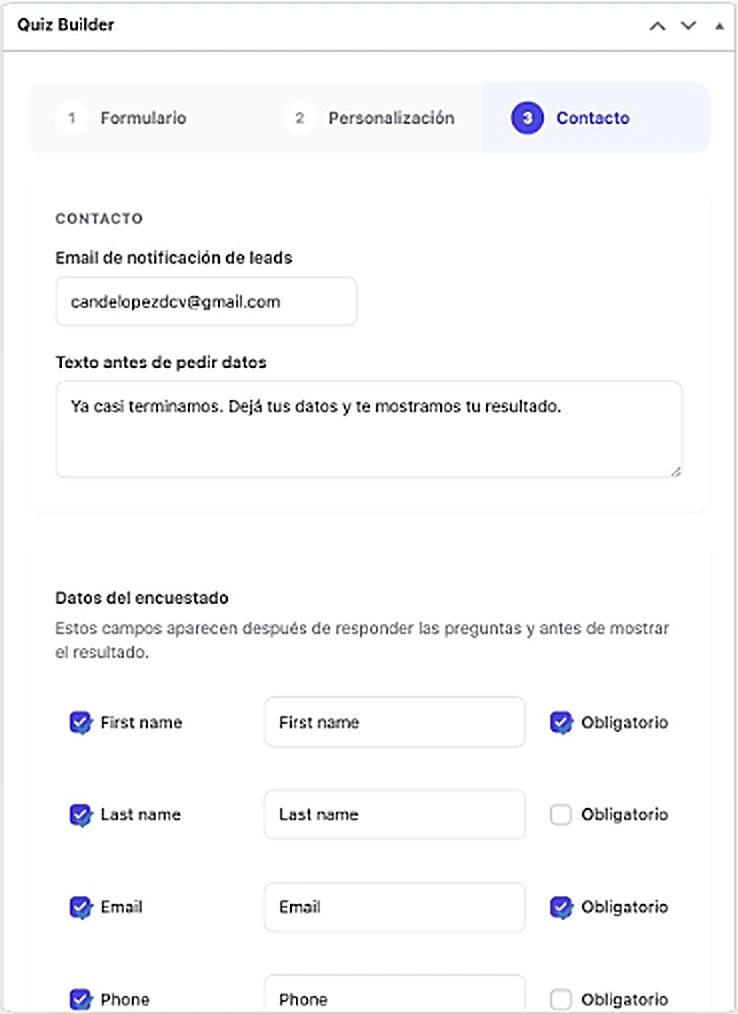
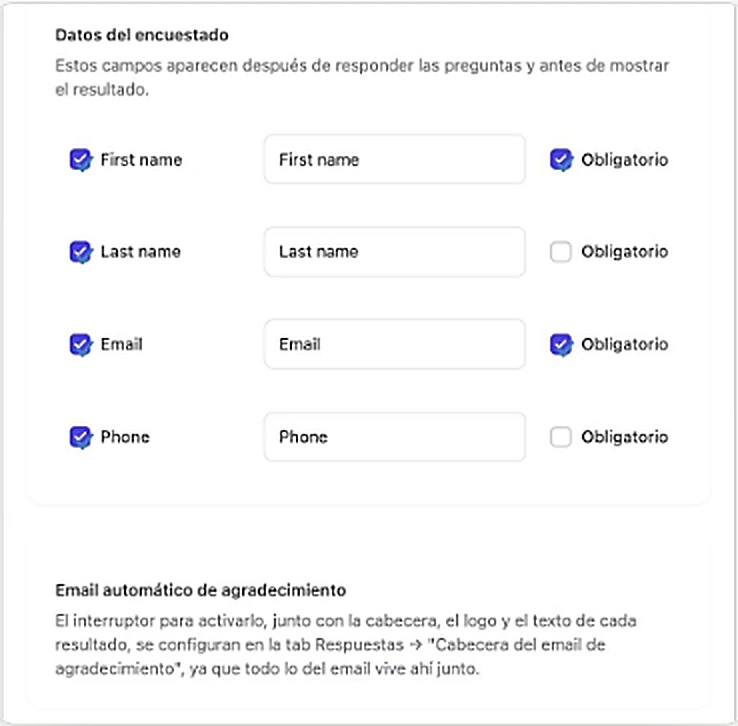
Details are asked after the questions and before the result. The person has already invested time and wants their diagnosis, so it is when they are most willing to share. Each field can be switched on, renamed and marked as required.

<b>Notification and lead-in text.</b> Which inbox gets each new lead and what the person reads before filling in their details.
Notification and lead-in text. Which inbox gets each new lead and what the person reads before filling in their details.
<b>Custom fields.</b> Here, name and email are required; last name and phone are optional.
Custom fields. Here, name and email are required; last name and phone are optional.
To the team

An email alert the moment a lead comes in.

To the dashboard

The contact is stored with its profile and % match.
06 · In use · empresariosconimpacto.com/landing-youtube

Integrated, not embedded

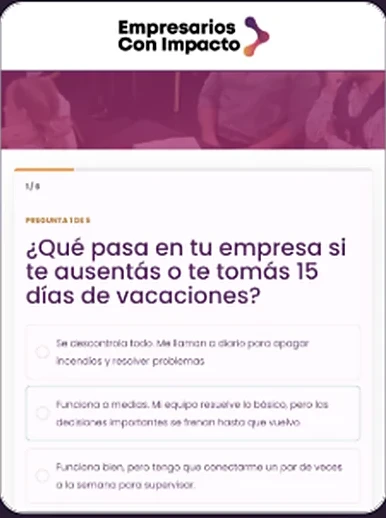
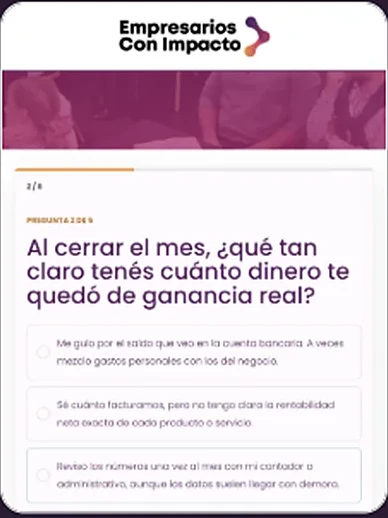
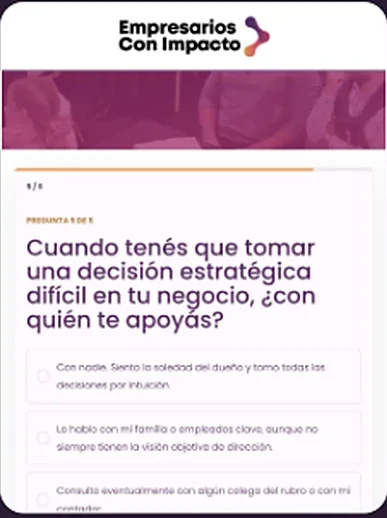
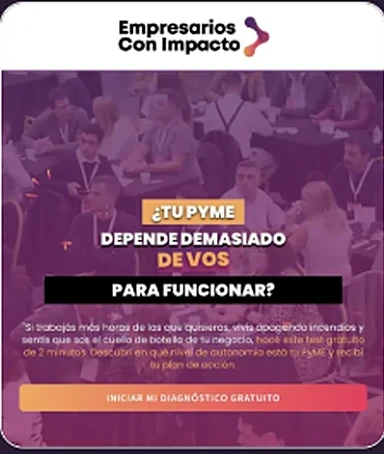
The landing that receives the YouTube traffic. The form lives inside the Elementor page through its shortcode and takes on the ECI identity: purple, orange and Poppins. One tap on an option moves to the next question and the bar moves forward.

Profile Forms · screen hero
Hero The hook question and the call to start a free diagnosis.
Profile Forms · screen step1
Question 1 of 5 Step counter, progress bar, large tappable options.
Profile Forms · screen step2
Question 2 of 5 Auto-advance on single choice.
Profile Forms · screen step5
Question 5 of 5 The last question of the diagnosis.
Profile Forms · screen last
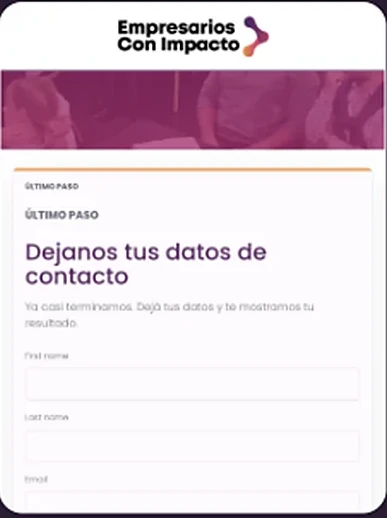
Last step The contact gate, with the lead-in text set in the builder.
01
Not an iframe

No external service: it inherits the page’s width and rhythm, and the data stays on the site.

02
Mobile first

Built for people coming from a video on their phone: full-width options, easy to hit with a thumb.

03
The brand’s voice

Questions written in the SME owner’s Rioplatense Spanish: “putting out fires”, “the owner’s loneliness”.
07 · In use · The result email

What you set is what arrives

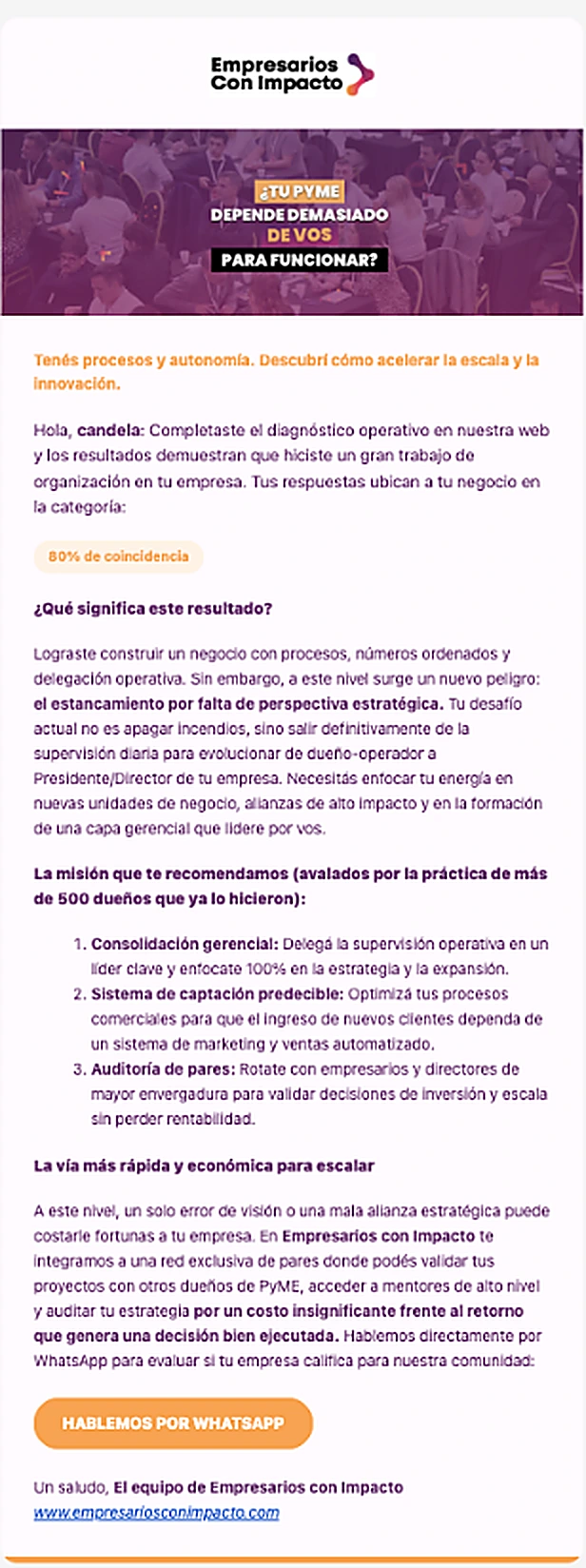
The email received by a person classified as Structured / scalable with an 80% match. Every part comes from a field in the builder, so the brand carries over from the web to the inbox without touching HTML.

Profile Forms · screen email
  1. 1
    LogoResults → Header → Logo
  2. 2
    Header image, the same piece as the landing heroResults → Header → Image (1200×400)
  3. 3
    Pre-header in the brand’s orangeProfile → Email → Pre-header
  4. 4
    “Hola, candela”: the name variable filled inProfile → Email → Message · {{nombre}}
  5. 5
    “80% match”, from the 80% thresholdResults → Minimum % · {{puntaje}}
  6. 6
    What this result means, plus the recommended missionProfile → Email → Explanation (visual editor)
  7. 7
    “Let’s talk on WhatsApp” button, in the form’s colour and pill shapeProfile → Email → Button · Customisation → Colours / Radius
  8. 8
    Sign-offProfile → Email → Closing
  9. 9
    Colour line at the footAdded automatically in the main colour
→

The button is the last step of the flow: it opens a conversation with a salesperson to join Empresarios con Impacto.
08 · Metrics

Each form, its own dashboard

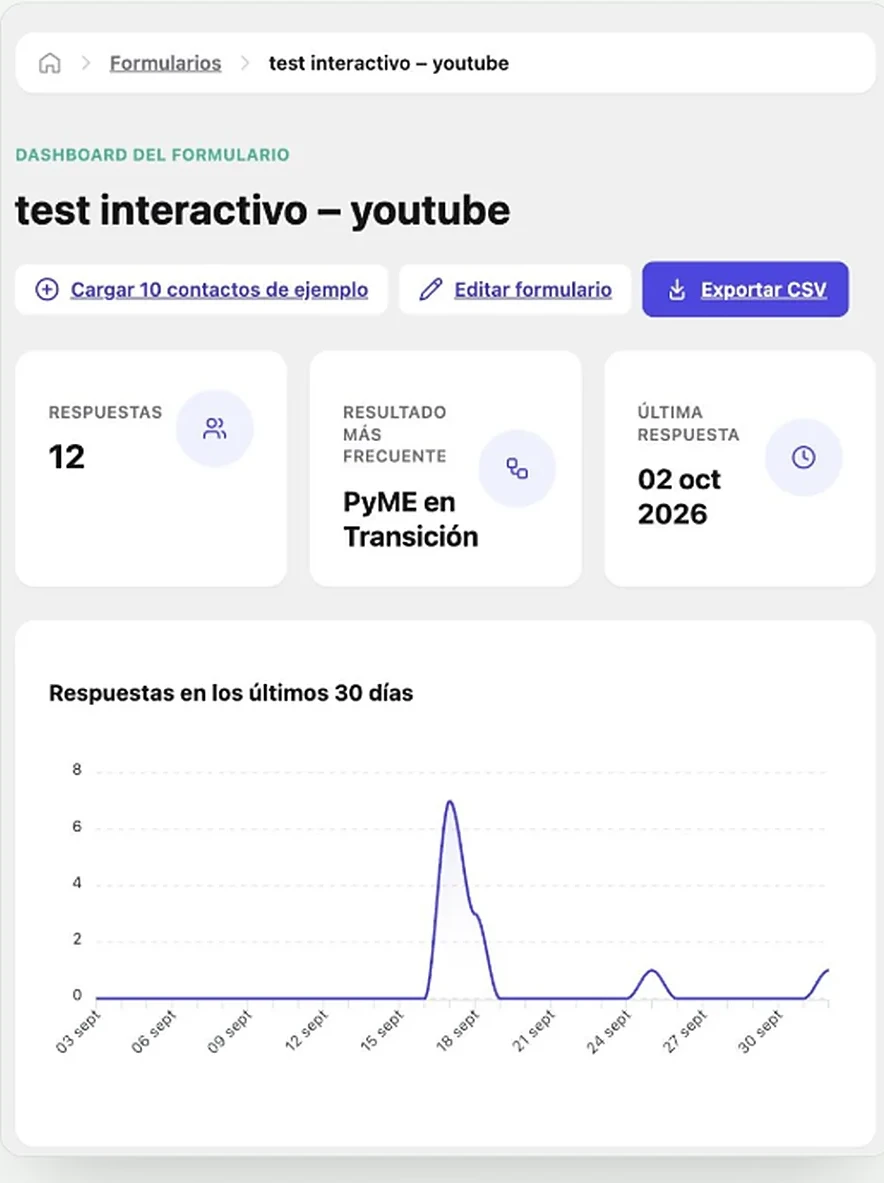
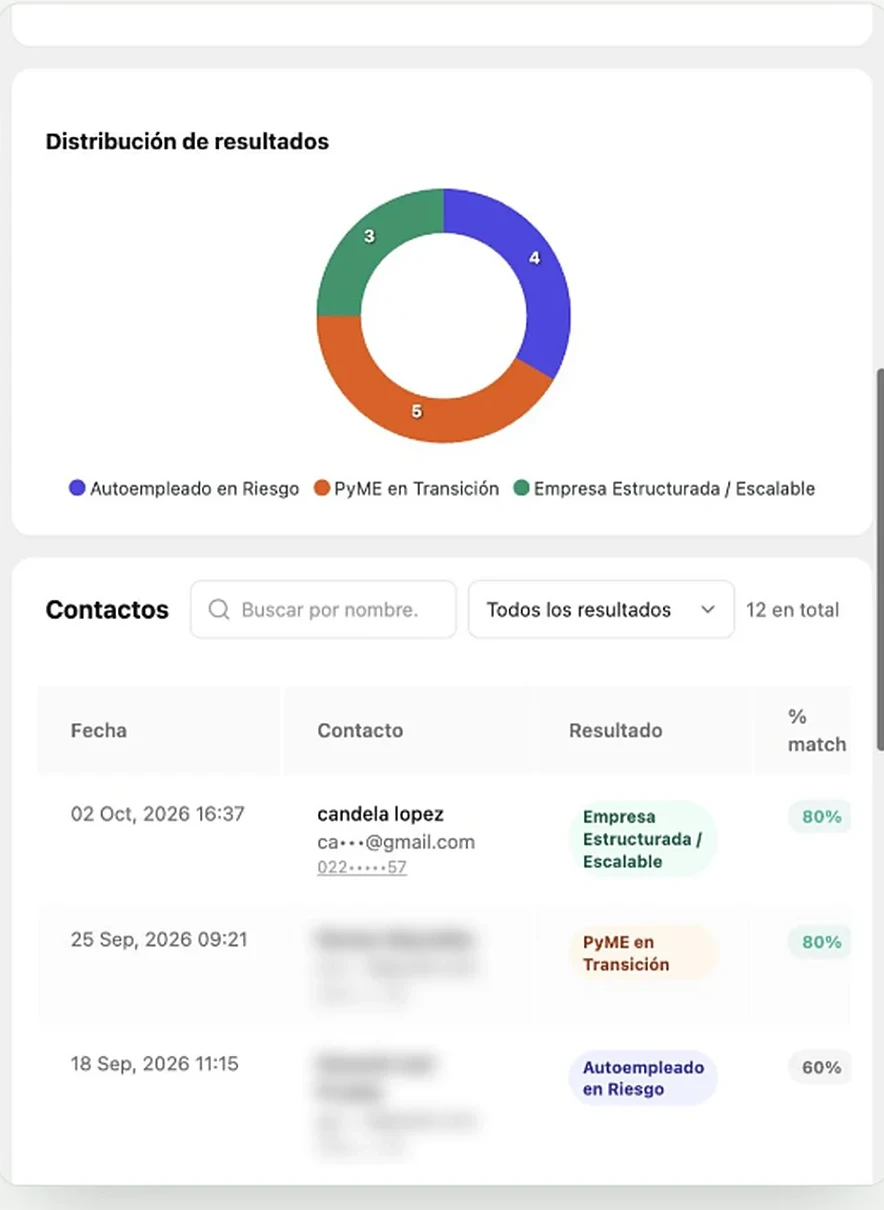
On the business side, every form gets its own board: how many answered, which profile dominates, when people come in and who they are.

<b>KPIs and trend.</b> Total responses, most frequent result, last response and a 30-day chart.
KPIs and trend. Total responses, most frequent result, last response and a 30-day chart.
<b>Distribution and contacts.</b> Donut chart by profile and a table with search, filter by result, % match, WhatsApp and delete. Lead names are blurred here.
Distribution and contacts. Donut chart by profile and a table with search, filter by result, % match, WhatsApp and delete. Lead names are blurred here.
01
Segment the follow-up

Filter “Self-employed at risk” for a starter programme, “Scalable” for the peer network.

02
WhatsApp in one click

Every contact with a phone opens straight in WhatsApp from the table.

03
Export CSV

Leads move to a CRM, a spreadsheet or an email marketing tool.

04
Read the audience

If “SME in transition” dominates, that is who the YouTube content is reaching.
09 · How I built it

Designed and coded with Claude, in PHP

I designed the product and wrote the plugin with Claude as a pair developer: PHP for WordPress, JavaScript for the builder and the quiz, CSS for the admin and the themes. Everything runs inside WordPress, with no external services.

The plugin, end to end
Builderwp-admin · 3 steps
Profile Quizcustom post type
Shortcode / Elementorany page
Quiz + contactfront end, AJAX
Result, email, alertper profile
Dashboard + CSVper form
01
A sandbox copy first

Built and iterated on a dev copy, never on the client’s live site.

02
Tested before every package

A PHP + jsdom harness runs the builder and the quiz headlessly to check each change.

03
Shipped as versioned zips

Each iteration packaged as a numbered release and installed on the live site.

04
A scoped admin UI

A Tailwind build scoped to the plugin, so it never clashes with WordPress or other plugins.

10 · Outcome & role

A content campaign that became a measurable funnel

5

diagnosis questions

3

result profiles

80%

match threshold

12

responses by 02/10/2026*

* Total in the form’s dashboard, live since 17/09/2026. Includes internal test submissions.

Product design

Flow, builder, scoring logic, dashboard

UX writing

Builder copy and ECI questions

Development

WordPress plugin in PHP + JS, with Claude